
Virtual Mailbox Services Review
Traveling Mailbox Review 2026: Pricing, Fees, Locations, and Real Costs
Traveling Mailbox combines included page scans with remote mail actions, but the address you choose changes both price and routing. We audited Sanford and seven premium locations, checked eight addresses with Smarty, observed checkout without paying, questioned support, reviewed the apps, and modeled three monthly usage scenarios.
Reviews Ally may earn a commission when you click some links on this page. Our recommendation follows the evidence and limitations described below, not the commission. Learn more about our advertising disclosure.
Quick verdict
Traveling Mailbox: Bottom Line
Traveling Mailbox makes the most sense for people who expect to read paper mail online, not merely rent a mailing address.
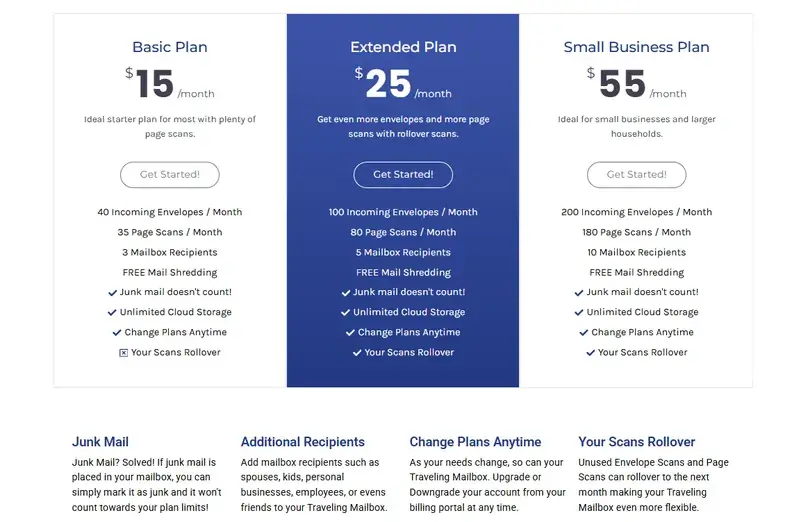
At Sanford, the $15 Basic plan includes 40 envelopes, 35 scanned pages, and three recipients. The $25 Extended plan raises those limits to 100 envelopes, 80 pages, and five recipients. In our fixed scan-heavy scenario, Extended produced a known service subtotal of $27 per month at Sanford after one $2 forwarding-handling charge. Carrier postage stays separate.
The address decision matters. Six sampled premium locations added $4.95 per month, while Miami Brickell added $9.95. Support told us that mail and packages received at every premium address are transferred to the North Carolina processing center. Traveling Mailbox estimates that transfer at three to five business days from receipt, subject to ordinary delays. We did not send mail, so this is a provider estimate rather than a measured result.
At a glance
Traveling Mailbox Quick Facts
- Best fit
- Travelers, expats, RVers, and remote teams that expect regular content scans.
- Sanford monthly plans
- Basic $15; Extended $25; Small Business $55.
- Sanford annual totals
- $150; $250; $550, paid upfront for 12 months of service.
- Premium surcharge sampled
- $4.95/month at six locations; $9.95/month at Miami Brickell.
- Scan rollover
- Not on Basic; available on Extended and Small Business, according to support.
- Plan tax observed
- $0 subscription tax in checkout and the support answer.
- Current package fees
- $0 receiving and rerouting fees per support, with conflicting legacy wording in the 2022 Terms.
- Premium routing
- Provider says all premium mail and packages transfer to its North Carolina processing center.
- Account access
- Public/static evidence only; no live dashboard or customer account.
- Apps
- iOS, Android, mobile web, and five listed cloud integrations.
Fit
Who Traveling Mailbox Is Best For
Consider it if you want…
- Included monthly page scans instead of paying for every standard scan request.
- A direct-processing address in Sanford with no premium-location transfer step in our sample.
- Three to ten recipient names, depending on the plan.
- Mail forwarding with carrier choice and a separate quote before shipment.
- An optional physical check-deposit workflow.
- Dropbox, Google Drive, OneDrive, Evernote, or Box integration.
- Annual billing that charges ten months upfront for twelve months of service.
Look elsewhere if you need…
- A mailbox plan below Traveling Mailbox’s $15 Sanford starting price.
- A premium city address without an additional provider-estimated transfer to North Carolina.
- Extra recipients sold individually instead of requiring a plan upgrade.
- A guaranteed address for banking, licensing, an LLC, Google Business Profile, or proof of residence.
- An independently verified security certification established by this research.
- A simple, unconditional refund promise with no conflict among the FAQ, Terms, and support answer.
- A provider that publicly assigns responsibility to a named party at each premium-address handoff.
Our method
How We Reviewed Traveling Mailbox
In August 2026, we conducted structured verification research across current provider pages, help-center articles, legal policies, public checkout, address-validation results, app stores, user-review samples, a shipping calculator, and direct support answers. The work was designed to answer the buying questions that a homepage usually leaves for later.
We compared all three plans at Sanford and repeated the relevant pricing checks across New York, Wilmington, Miami Brickell, Houston, Chicago, Denver, and Los Angeles. We preserved the exact annual totals instead of assuming every premium annual plan was exactly ten times its monthly price.
We also reviewed current iOS and Android metadata, sampled recent app reviews under fixed time windows, and analyzed a user-supplied set of 20 Google Maps reviews separately from app feedback. User reviews are directional evidence. They do not verify mail loss, delivery speed, security incidents, or support quality for every customer.
0 people found this helpful
Plans and fees
Traveling Mailbox Pricing
The three plans use the same allowance structure at the eight locations we sampled. Location changes the base price, not the envelope, page-scan, or recipient allowance. Sanford was the direct-processing baseline. Six premium locations added $4.95 per month, while the sampled Miami Brickell address added $9.95.
| Plan | Sanford monthly | Sanford annual | Standard premium monthly | Standard premium annual | Brickell monthly | Brickell annual | Envelopes | Pages | Recipients | Scan rollover |
|---|---|---|---|---|---|---|---|---|---|---|
| Basic | $15.00 | $150.00 | $19.95 | $199.00 | $24.95 | $249.00 | 40 | 35 | 3 | No |
| Extended | $25.00 | $250.00 | $29.95 | $299.00 | $34.95 | $349.00 | 100 | 80 | 5 | Yes |
| Small Business | $55.00 | $550.00 | $59.95 | $599.00 | $64.95 | $649.00 | 200 | 180 | 10 | Yes |
Checked in August 2026. “Standard premium” refers to the six sampled addresses with a $4.95 monthly surcharge. The exact premium annual totals shown at checkout were $0.50 below a simple monthly-price-times-ten calculation.
Usage and add-on fees
| Item | Current amount | What to know |
|---|---|---|
| Extra envelope | $0.25 each | Applies above the monthly plan allowance. |
| Extra scanned page | $0.50 per page | Applies above the monthly plan allowance. |
| Forwarding handling | $2 per shipment | Carrier postage is additional. |
| Check deposit handling | $4.95 per check | Postage for mailing the check is additional. |
| QuickScan | $5 per request | Optional request; not assumed in our scenarios. |
| FlexScan | $2.50 per request | Optional request; not assumed in our scenarios. |
| Package storage after 30 days | $0.10 per pound per day | No long-term package storage was modeled. |
| Physical envelope hold after 30 days | $1 per envelope per month | Applies when an envelope is held beyond the free period. |
| Additional recipients | Plan upgrade required | Human support said recipients are not sold as an à-la-carte overage. |
| Package receiving and rerouting | $0 under current support guidance | The still-published Terms from 2022 contain conflicting legacy fees; see the package section. |
Checkout showed major credit cards and PayPal. No subscription tax was displayed, and support told us there is no tax on the plan subscription. That does not establish that every shipment, customs charge, duty, or ancillary transaction will be tax-free.
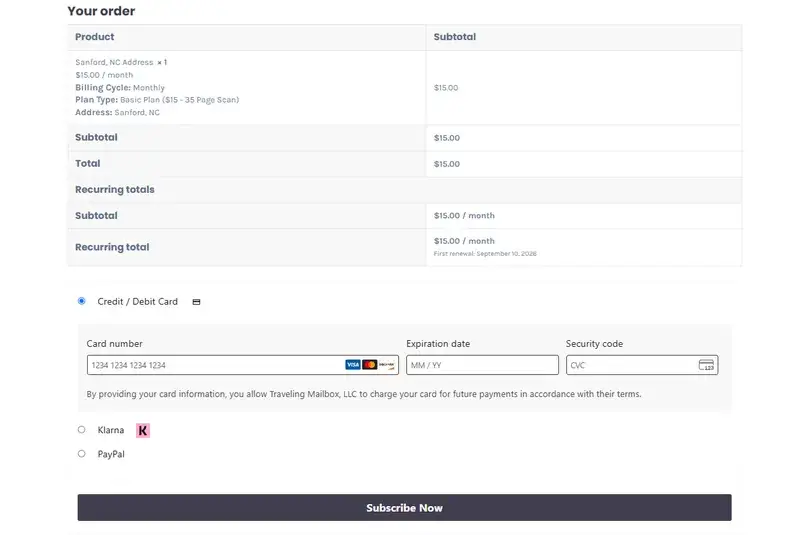
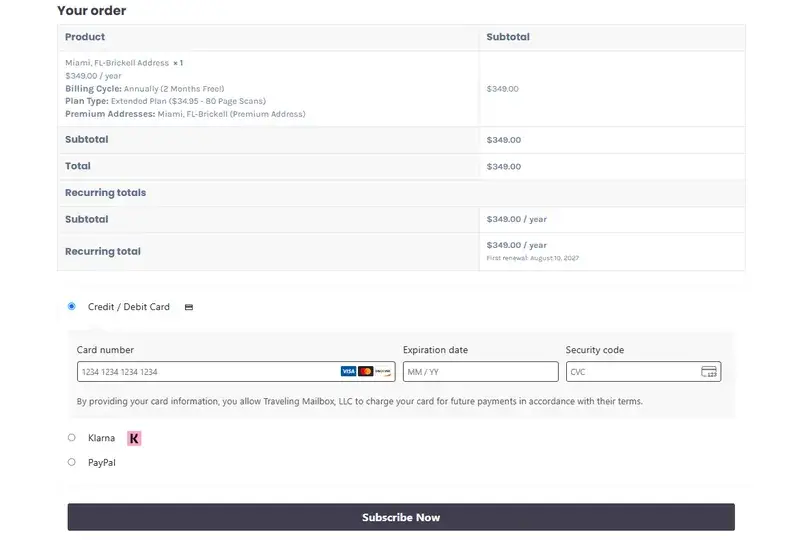
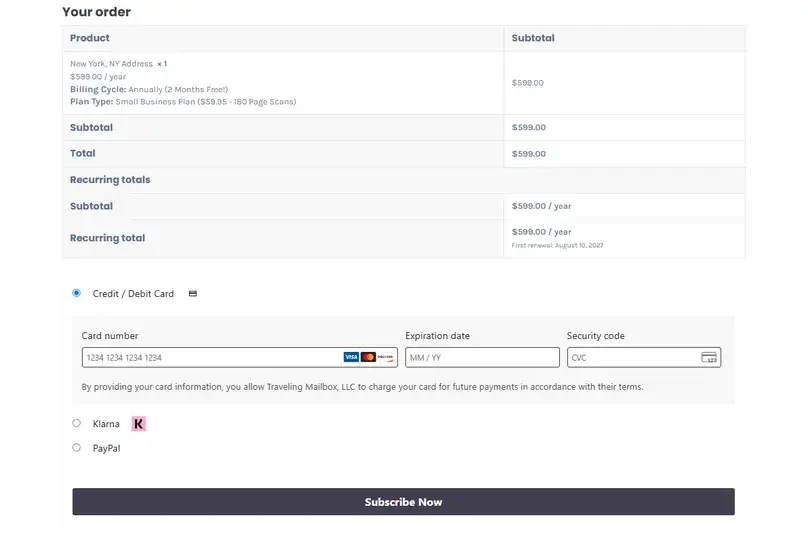
Before subscribing: choose the exact address first, then compare the monthly or annual total, recipient limit, scan allowance, and carrier postage.
Check Current Pricing Compare Top PicksUsage modeling
What Traveling Mailbox Could Cost in Three Scenarios
Headline pricing is only the first line of a virtual-mailbox bill. We applied the same three fixed usage profiles used in our research protocol, compared every viable Traveling Mailbox plan, and kept carrier postage outside the known service subtotal.
| Scenario | Usage | Selected plan | Sanford | Standard premium | Brickell | Not included |
|---|---|---|---|---|---|---|
| Light personal | 10 envelopes; 3 open requests; 6 pages; 1 recipient; one forwarding every 3 months | Basic | $15.67/month | $20.62/month | $25.62/month | Carrier postage |
| Scan-heavy traveler | 40 envelopes; 20 open requests; 60 pages; 3 recipients; one forwarding monthly | Extended | $27.00/month | $31.95/month | $36.95/month | Carrier postage; optional QuickScan or FlexScan |
| Small remote business | 60 envelopes; 25 open requests; 80 pages; 3 recipients; 2 packages; one forwarding monthly | Extended | $27.00/month | $31.95/month | $36.95/month | Carrier postage for two packages |
| Optional check module | 2 checks per month | Add-on | +$9.90/month | +$9.90/month | +$9.90/month | Postage for mailing checks |
Known service subtotals include the plan, applicable overages, premium surcharge, and forwarding handling. They are not all-in prices. The observed subscription-plan tax was $0; carrier postage and any shipment-specific tax, customs, or duties remain outside. The light scenario amortizes the $2 quarterly handling charge at $0.67 per month. The small-business result uses support’s current $0 package-fee answer and must be read with the conflicting 2022 Terms disclosure.
Operational model
Sanford, Premium Addresses, and the Extra Routing Step
Sanford, North Carolina is the main processing facility in the provider’s current documentation. Premium addresses give customers a different city on the incoming address, but support told us that all mail and packages received at those locations transfer to the North Carolina processing center before Traveling Mailbox scans them.
Traveling Mailbox says the premium transfer usually takes three to five business days beginning on the receiving date, with weather and holidays among the possible causes of additional delay. We did not send mail through any location. Treat that timing as a company estimate, not an observed service level or guarantee.
| Sample | Monthly surcharge | Publicly identified intake operator | Provider-stated route |
|---|---|---|---|
| Sanford, NC | $0 | Traveling Mailbox LLC | Direct processing in Sanford |
| New York, NY | $4.95 | The UPS Store at 82 Nassau | Transfer to North Carolina |
| Wilmington, DE | $4.95 | The UPS Store #1391 | Transfer to North Carolina |
| Miami, FL – Brickell | $9.95 | Quest Workspaces at 777 Brickell | Transfer to North Carolina |
| Houston, TX | $4.95 | The UPS Store #4082 | Transfer to North Carolina |
| Chicago, IL | $4.95 | The UPS Store at 201 W Lake | Transfer to North Carolina |
| Denver, CO | $4.95 | PostNet at 1312 17th | Transfer to North Carolina |
| Los Angeles, CA | $4.95 | The UPS Store #4838 | Transfer to North Carolina |
Public operator pages identify the storefront or workspace, not necessarily the exact legal franchisee, contract, or custody obligations. Traveling Mailbox support could not provide the premium-location owners.
Who is responsible if an item is lost or damaged?
Support did not assign responsibility in advance to the intake operator, carrier, or Traveling Mailbox for each handoff. It said responsibility would fall to whichever party an investigation finds responsible. That leaves an important limitation: the case-by-case investigation answer does not tell a customer which entity has disclosed custody and liability at every stage.
What the Smarty address checks showed
We ran all eight provider-published sample formats through the same Smarty account and preserved the standardized output, ZIP+4, DPV, CMRA, record type, RDI, vacancy, no-stat, footnotes, and raw responses. Every canonical result returned a commercial RDI classification, but the other fields were not uniform.
| Market | DPV | CMRA | Record type | RDI | Audit note |
|---|---|---|---|---|---|
| Sanford | Y | Y | S | Commercial | Canonical sample recorded |
| New York | Y | Y | S | Commercial | Canonical sample recorded |
| Wilmington | Y | Y | S | Commercial | Canonical sample recorded |
| Miami Brickell | S | N | H | Commercial | Formatting-sensitive; structured Suite/PMB rechecks returned different DPV and CMRA fields |
| Houston | Y | Y | S | Commercial | Canonical sample recorded |
| Chicago | Y | N | S | Commercial | Provider uses a placeholder PMB; synthetic-number recheck kept separate |
| Denver | Y | Y | S | Commercial | Canonical sample recorded |
| Los Angeles | Y | Y | S | Commercial | Canonical sample recorded |
Digital mail
Mail Scanning and Online Actions
Traveling Mailbox’s public documentation describes an inbox where customers can review an envelope image and choose an action from a Request Action menu. Public help also documents usage history, billing, and integration activation. That evidence supports the shape of the workflow, not its speed, scan quality, or reliability under a live account.
Standard page scans
Plans include 35, 80, or 180 pages per month. Additional pages cost $0.50 each.
Envelope allowance
Plans include 40, 100, or 200 incoming envelopes. Additional envelopes cost $0.25 each.
QuickScan
The provider lists this optional request at $5. We did not measure the associated speed.
FlexScan
The provider lists this optional request at $2.50. It was not included in our cost scenarios.
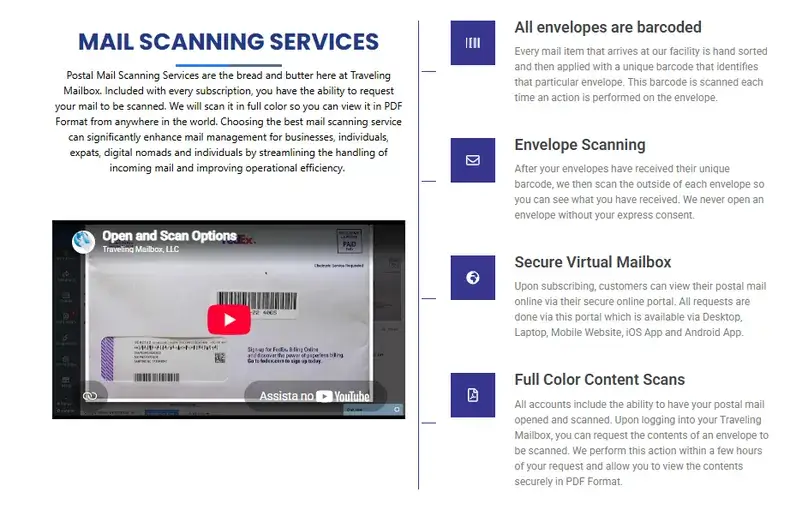
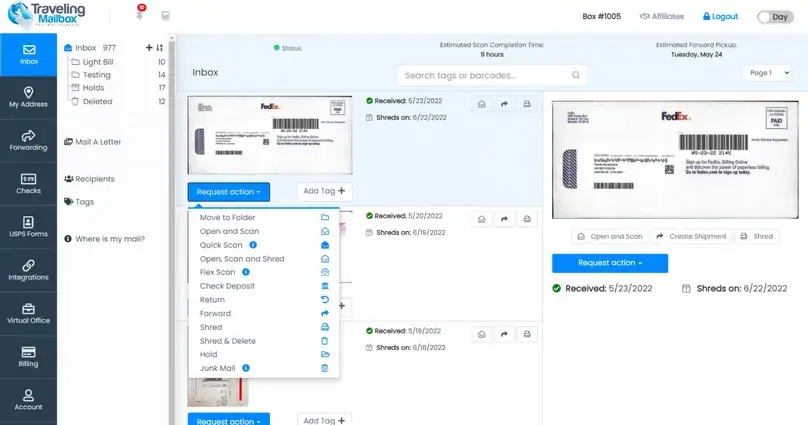
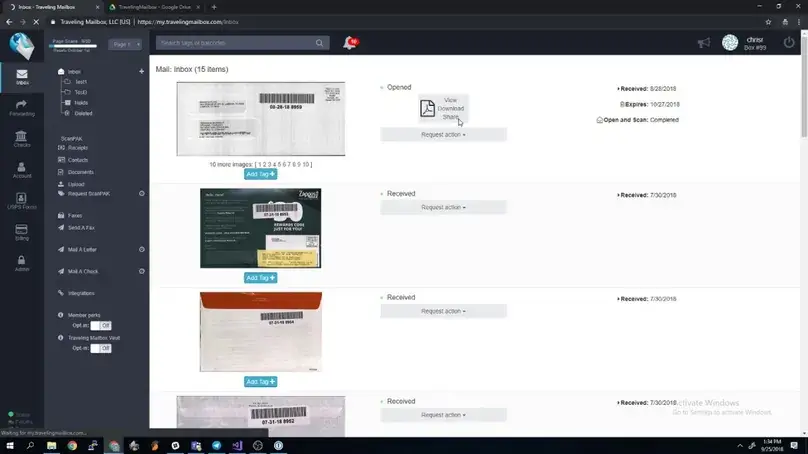
Support clarified a material inconsistency in the pricing copy: unused Basic scans do not roll over. Extended and Small Business scans do. Buyers choosing Basic should therefore treat 35 pages as a monthly allowance, not a balance that accumulates indefinitely.
Physical delivery
Mail Forwarding, Packages, and Storage
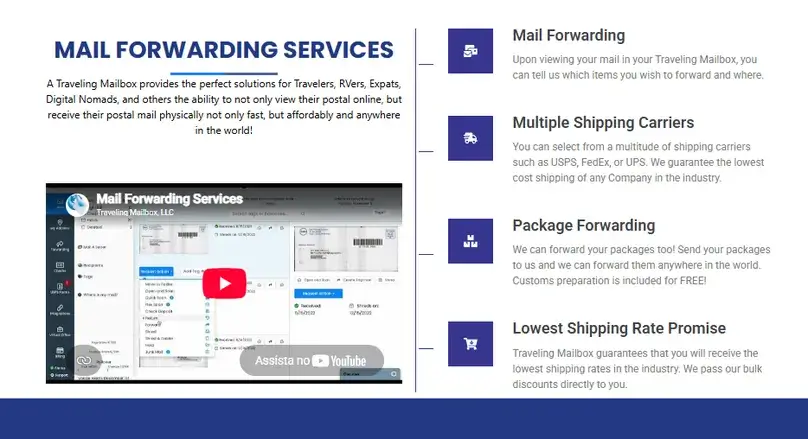
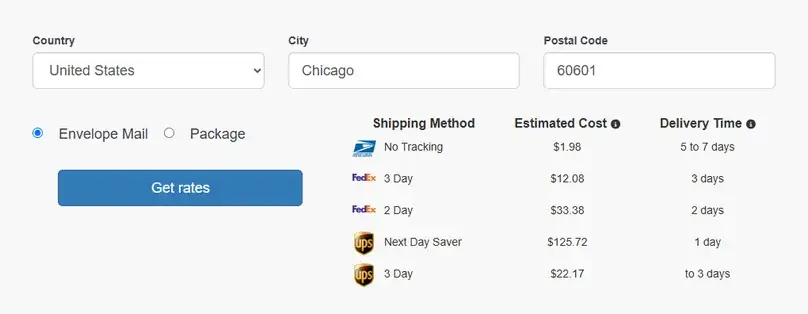
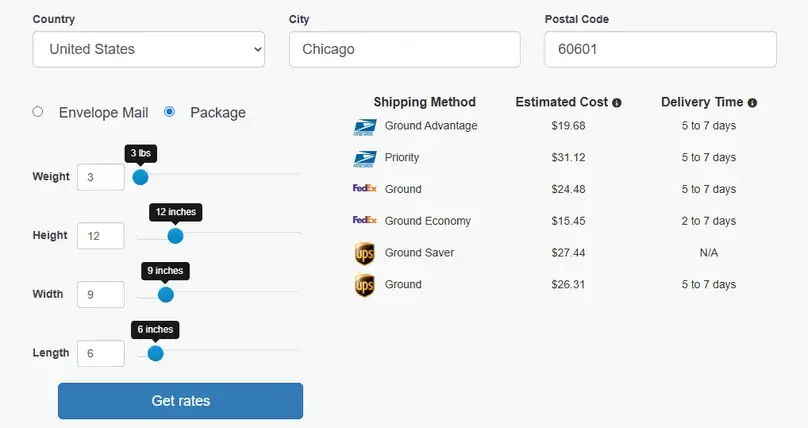
Forwarding adds a $2 handling charge per shipment plus the selected carrier’s postage. The public calculator displayed USPS, FedEx, and UPS choices in our synthetic queries. A low handling fee does not make postage low by itself, which is why we kept carrier charges outside every monthly subtotal.
The package-fee conflict
In our August 2026 support check, Traveling Mailbox said the previous $4.95 package-receiving fee and minimum $10 package-rerouting fee no longer apply. We therefore used $0 for both current fees in the cost model.
The public Terms of Service, visibly last updated November 22, 2022, still state those older charges. The most honest reading is not to pick one source and make the other disappear: support says the current fees are $0, while the legal page contains outdated, contradictory wording. Confirm the charge shown in your account before routing packages.
Point-in-time carrier quotes
| Query | Carrier | Service | Quote | Displayed ETA |
|---|---|---|---|---|
| Envelope mail to Chicago 60601 | USPS | No Tracking | $1.98 | 5-7 days |
| Envelope mail to Chicago 60601 | FedEx | 3 Day | $12.08 | 3 days |
| Envelope mail to Chicago 60601 | FedEx | 2 Day | $33.38 | 2 days |
| Envelope mail to Chicago 60601 | UPS | 3 Day | $22.17 | Up to 3 days |
| Envelope mail to Chicago 60601 | UPS | Next Day Saver | $125.72 | 1 day |
| One 3 lb package, 12 × 9 × 6 in, to Chicago 60601 | USPS | Ground Advantage | $19.68 | 5-7 days |
| One 3 lb package, 12 × 9 × 6 in, to Chicago 60601 | USPS | Priority | $31.12 | 5-7 days |
| One 3 lb package, 12 × 9 × 6 in, to Chicago 60601 | FedEx | Ground Economy | $15.45 | 2-7 days |
| One 3 lb package, 12 × 9 × 6 in, to Chicago 60601 | FedEx | Ground | $24.48 | 5-7 days |
| One 3 lb package, 12 × 9 × 6 in, to Chicago 60601 | UPS | Ground | $26.31 | 5-7 days |
| One 3 lb package, 12 × 9 × 6 in, to Chicago 60601 | UPS | Ground Saver | $27.44 | Not displayed |
Observed August 2026 through the public calculator. These are synthetic, point-in-time quotes, not universal rates. The origin was not recorded. Envelope weight, dimensions, and item count were also not recorded, so those rows are context rather than a reproducible benchmark.
Package storage is listed as free for 30 days, then $0.10 per pound per day. A physical envelope can be held beyond its free 30-day period for $1 per envelope per month. Neither charge appears in our scenarios because they assume no long-term hold.
Paper checks
Check Deposit Requests
Traveling Mailbox lists check deposit handling at $4.95 per check plus postage. Two checks per month therefore add $9.90 in known handling charges before the cost of mailing them to the bank.
We did not submit a check or review an account-side deposit form. Treat this as a documented optional service and fee, not as verification of processing time, bank acceptance, endorsement handling, or successful deposit.
Software layer
Apps, Mobile Web, and Integrations
The correct renter apps are published by Traveling Mailbox LLC. Both stores showed version 4.74 during our August check, but their platform requirements and update dates differed.
| Platform | Version | Update shown | Requirement | Size | Store privacy label |
|---|---|---|---|---|---|
| iOS / iPadOS | 4.74 | July 22 (2026 inferred from the current store chronology) | iOS 15.0+; iPadOS 15.0+ | 80.9 MB | Developer declares “Data Not Collected”; Apple says the disclosure is not verified |
| Android | 4.74 | May 19, 2026 | Android 5.0+ | 36 MB | Developer declares no data collected or shared |
| Mobile web | Web service | Not applicable | Modern browser; no exact matrix published | Not applicable | Service privacy policy applies |
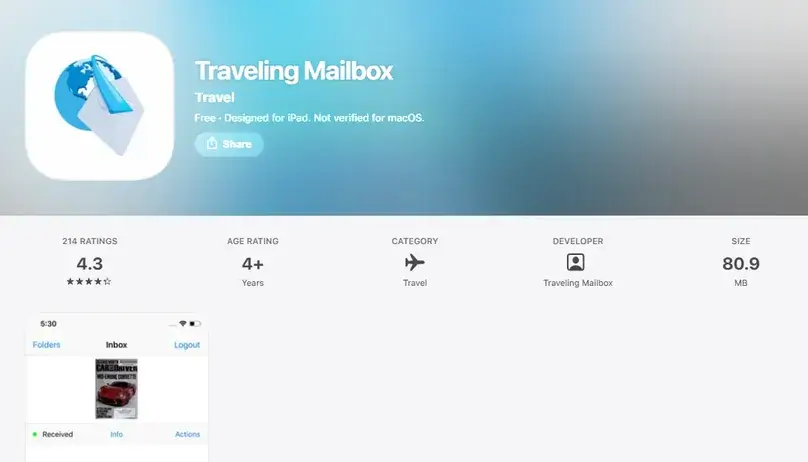
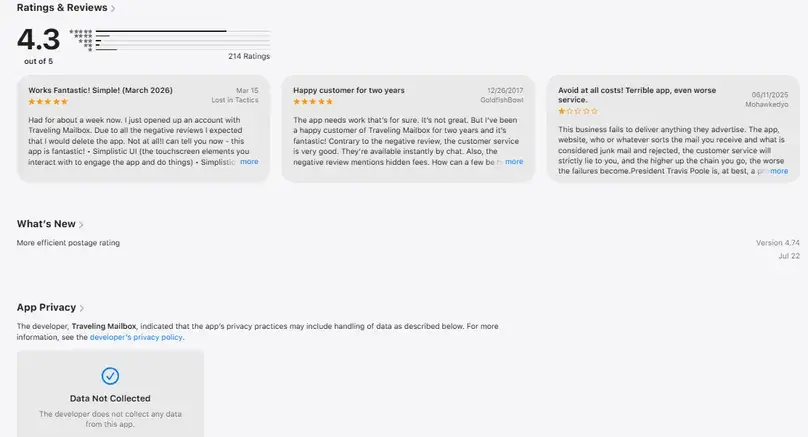
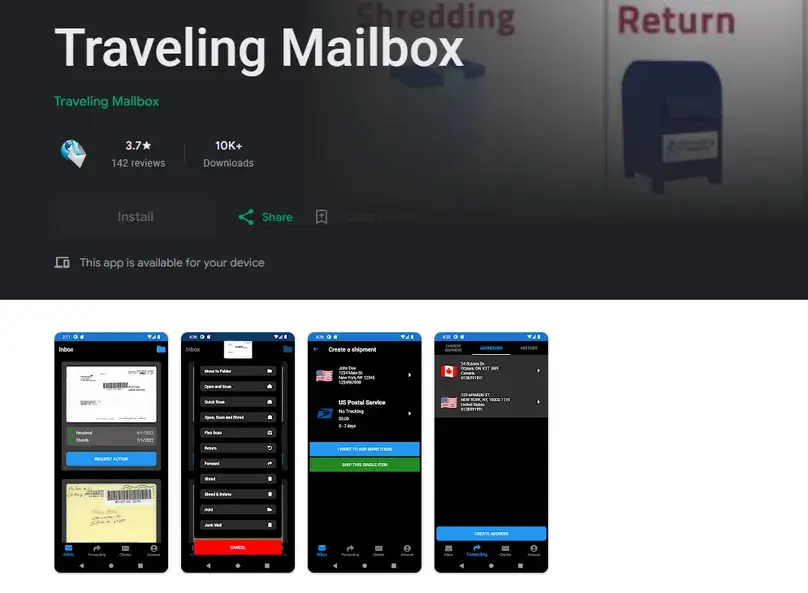
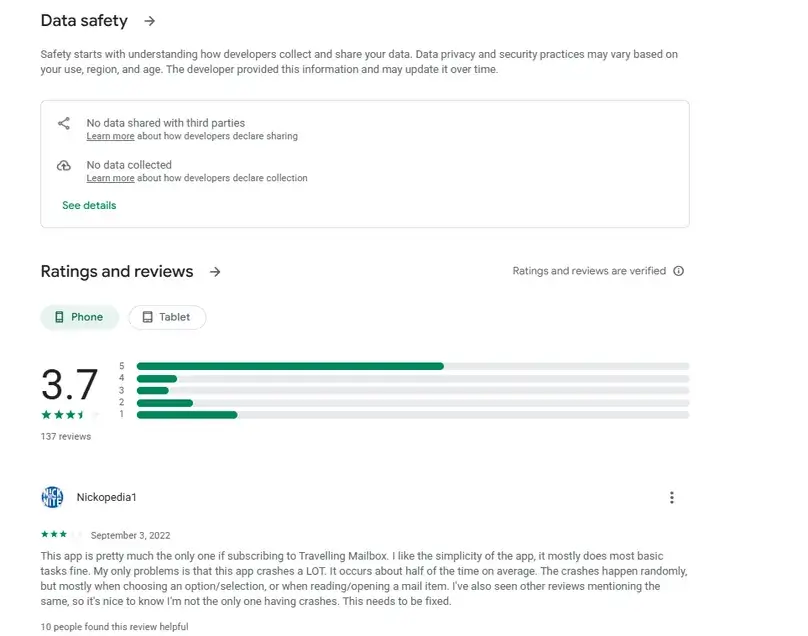
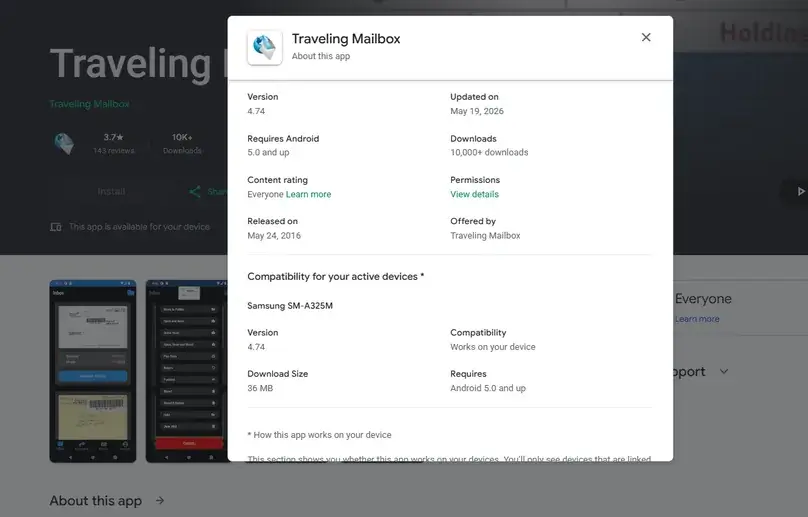
App-store privacy labels are developer declarations about the apps. They are not independent audits and should not be generalized to the entire mailbox service. Traveling Mailbox’s service privacy policy separately describes personal and nonpersonal data collection, cookies, usage information, and limited sharing with service providers.
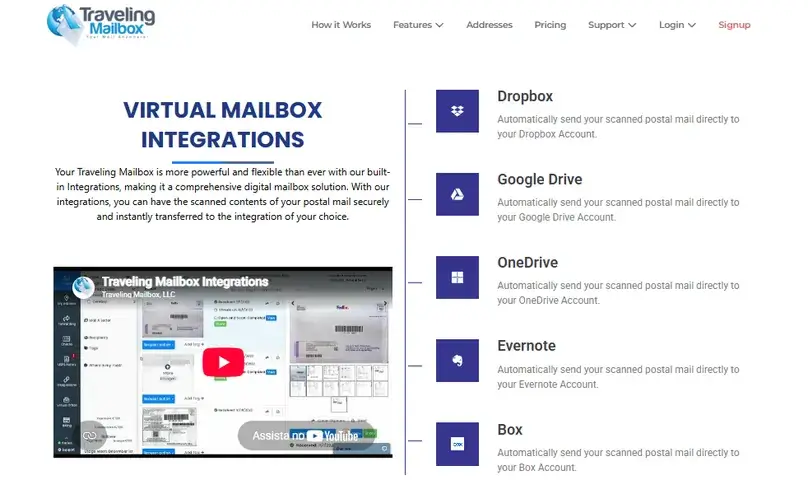
Cloud integrations
The dedicated integrations page listed those five services. Broader service copy also mentioned email and Bill.com, but we did not use that lower-confidence wording to expand the confirmed integration list. We did not establish a public API or enterprise SSO option.
Controls and limits
Security and Privacy Claims
Traveling Mailbox attributes several physical and account controls to its service. Our research confirmed that the company publishes these claims; it did not independently audit or certify them.
Those controls are useful questions for a buyer, but they are not evidence of an independent certification, a third-party penetration test, or a compliance promise for every customer and plan. If regulated mail is involved, request current contractual and audit documentation before relying on marketing language.
Onboarding
Checkout, USPS Form 1583, and International Verification
Our observed flow moved from the public address product page to checkout, where the plan, initial total, renewal information, and payment methods were displayed. The provider’s documentation places USPS Form 1583 after subscription and login. We stopped before payment, account creation, address reservation, identity submission, or Form 1583.
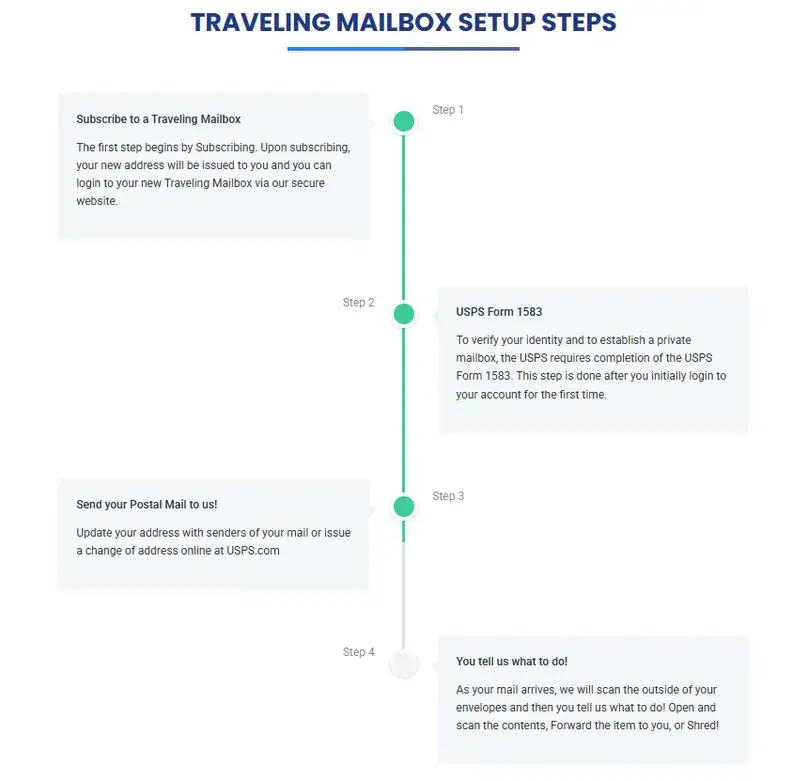
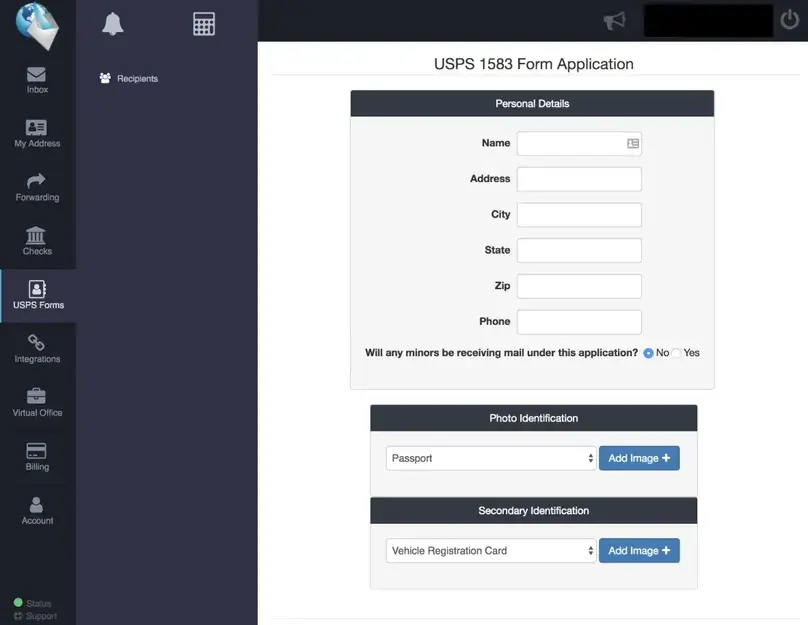
Traveling Mailbox support told us that its own video verification is required to complete Form 1583, is performed through Zoom, and has no provider fee. The current FAQ also describes notarized alternatives, including a U.S. Embassy, U.S. Consulate, or online notary, when video verification cannot be completed. The two sources are not fully harmonized.
A commercially classified or CMRA-associated address is not a magic key for every institution. Ask the bank, licensing body, business registry, payment processor, or other recipient whether it accepts the exact address type for the intended purpose.
Support and policies
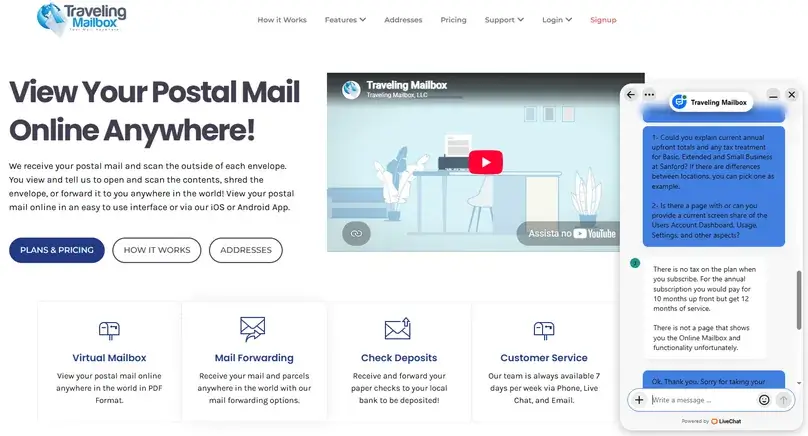
What Support Clarified, and What Remains Messy
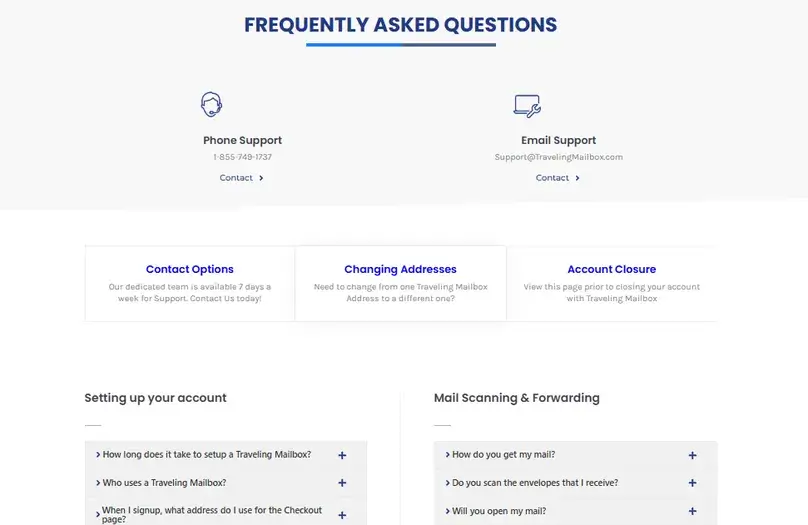
Traveling Mailbox publishes phone, email, and live-chat support. Its support page displayed weekend hours of 9 a.m. to 5 p.m. and weekday hours of 8 a.m. to 8 p.m. Eastern during our check. The same page still showed a 2025 holiday section in August 2026, so current hours should be verified rather than treated as permanently fixed.
| Topic | Support answer | Editorial treatment |
|---|---|---|
| Premium routing | All mail and packages transfer to the North Carolina processing center. | Provider claim; not measured. |
| Premium-location owners | Support could not share a list. | Public storefront evidence does not establish exact legal ownership or contract. |
| Loss or damage | Responsibility follows the result of an investigation. | No party is preassigned in the published answer for each handoff. |
| Package fees | The old $4.95 receiving and $10 minimum rerouting fees no longer apply. | Use $0 currently and disclose the conflicting 2022 Terms. |
| Recipients | No recipients beyond the plan allowance; upgrade the plan. | No per-recipient overage product confirmed. |
| Scan rollover | Basic does not roll over; Extended and above do. | Overrides the ambiguous plan-card presentation for this review. |
| Plan tax | No tax on the subscription plan. | Does not cover carrier, customs, duties, or every ancillary charge. |
| Demo | No demo is offered. | D1 public/static evidence is the ceiling. |
Refund wording is not a clean guarantee
The FAQ says Traveling Mailbox may refund a subscription in full if support cannot satisfy the customer. The Terms use narrower remaining-cycle or prorated language. Support told us that monthly and annual plans are treated similarly: a full refund is usually associated with a customer who cannot get a USPS change of address working and then cancels, while an account used for some time is generally refunded only for the paid unused portion.
We did not cancel or request money back. Do not read the FAQ as an unconditional full-refund guarantee.
Mail after cancellation
Current closure and help pages, reinforced by support, say residual mail can be received for up to six months after cancellation and that shipping or handling remains the customer’s expense. Older Terms wording is inconsistent, so this should be treated as the current provider policy rather than a guarantee under every circumstance.
Directional evidence
What the App and Google Review Samples Suggest
We kept software feedback separate from physical-mail allegations. The eligible app sample contained 13 Android reviews in the core 12-month window plus three reviews in a 24-month extension. The iOS store exposed only one eligible core review and one extension review under the same method.
Positive app observations mentioned overall usefulness, staff, expat access, and long-term use. Negative platform observations mentioned notifications, login or signup confusion, visual bugs, crashes, and device compatibility. Some reviews mixed app issues with shipping, refunds, support, or physical-mail claims; those claims were not treated as verified app defects or established mail failures.
Supplied Google Maps sample
The user-supplied 20-review Google Maps sample contained 15 five-star reviews, one four-star review, one three-star review, and three one-star reviews, for a sample mean of 4.25. Positive themes included travel and RV use, international access, scans, forwarding, and support. The smaller negative or mixed group included unverified allegations concerning mail arrival, address acceptance, premium routing delays, pricing, and support.
Other shortlists
Traveling Mailbox Alternatives to Compare
Traveling Mailbox’s strongest case is its included-scan structure. A different provider may fit better if address breadth, local-operator choice, package workflows, or business-address products matter more.
iPostal1
Compare it if broad address choice is your first filter and you are willing to inspect location-level fees carefully.
Read our iPostal1 reviewAnytime Mailbox
Compare it if you want a marketplace-style location search and understand that operator terms can vary by address.
Read our Anytime Mailbox reviewPostScan Mail
Compare it if flexible mail, package, and location workflows are more important than Traveling Mailbox’s plan structure.
Read our PostScan Mail reviewVirtualPostMail
Compare it if your buying question is tied to remote-business setup or a more specialized address-service ecosystem.
Read our VirtualPostMail reviewThese are use-case shortlists, not a newly calculated seven-provider ranking. Each provider will be evaluated under the same structured protocol before the Best Picks comparison is rebuilt.
Traveling Mailbox fits scan-heavy use best at the right address. Sanford avoids the sampled premium surcharge and the provider-described transfer step.
Visit Traveling Mailbox See Virtual Mailbox Top PicksFinal verdict
Should You Choose Traveling Mailbox?
Choose Traveling Mailbox if included page scans are central to your use case and its recipient limits fit. The Sanford Basic plan is a sensible light-use starting point at $15 per month. For our scan-heavy traveler and small remote business profiles, Extended was the lowest known Traveling Mailbox plan subtotal at Sanford: $27 per month before carrier postage.
Choose the address with equal care. Premium locations cost $4.95 or $9.95 more in our sample and, according to support, send all mail and packages to North Carolina for processing. That extra step may be acceptable when a specific city matters. It is unnecessary overhead when Sanford works for the buyer.
The material cautions are not cosmetic: the provider’s $0 package-fee support answer conflicts with its 2022 Terms, refund wording varies across sources, the international Form 1583 fallback path is not fully harmonized, and custody responsibility at premium handoffs is assigned only after investigation.
Reviews Ally verdict: Traveling Mailbox remains a strong candidate for scan-heavy travelers and remote users, especially through Sanford. It is not a hands-on-tested recommendation, an all-in price winner, or a guarantee that any address will satisfy an institution.
Review coverage
What We Checked in This Review
Common questions
Traveling Mailbox FAQ
How much does Traveling Mailbox cost?
At Sanford, Basic costs $15 per month, Extended costs $25, and Small Business costs $55. Annual checkout totals were $150, $250, and $550. Six sampled premium locations added $4.95 per month, while Miami Brickell added $9.95.
Do Traveling Mailbox scans roll over?
Support told us that Basic scans do not roll over. Extended and Small Business scans do. That clarification resolves an inconsistency between the plan-card presentation and other pricing or FAQ language.
Does every premium address route mail to Sanford?
Traveling Mailbox support said all mail and packages received at premium addresses transfer to the North Carolina processing center. The provider estimates the transfer at three to five business days from receipt. We did not send mail, so this is not a measured result or guarantee.
Does Traveling Mailbox charge to receive or reroute packages?
Support said the old $4.95 package-receiving fee and minimum $10 rerouting fee no longer apply, so our current model uses $0. The still-published Terms, last updated in 2022, continue to show those legacy fees. Confirm current account charges before routing packages.
Is carrier postage included in the monthly price?
No. Forwarding adds a $2 handling charge per shipment plus the selected carrier’s postage. Our real-cost scenarios keep postage separate because the amount depends on the item, destination, carrier, and service level.
Does Traveling Mailbox charge subscription tax?
No subscription tax appeared in the observed checkout, and support said there is no tax on the plan. That answer does not cover customs, duties, carrier charges, shipment-specific taxes, or every ancillary transaction.
What happens if I need more recipients?
Support said recipients are limited by plan: three on Basic, five on Extended, and ten on Small Business. It did not confirm an à-la-carte recipient overage; the customer must upgrade when more names are required.
Is Traveling Mailbox’s Form 1583 verification free for international customers?
Support said Traveling Mailbox’s Zoom video verification is required and free. The current FAQ also mentions notarized fallback routes when video cannot be completed. Because those sources are not fully aligned and we did not submit documents, international users should confirm the accepted method before paying.
Does Traveling Mailbox guarantee a full refund?
No. The FAQ contains broad full-refund wording, while the Terms and support describe narrower or prorated outcomes. Support said a full refund is usually associated with an unsuccessful USPS change-of-address setup, while an account used for some time is generally handled on a prorated basis. We did not test a refund.
What happens to mail after cancellation?
Current provider pages and support say residual mail can be received for up to six months after cancellation and that shipping or handling remains the customer’s expense. Older Terms wording is inconsistent, so this should not be read as an unconditional guarantee.
Will a Traveling Mailbox address work for a bank, LLC, license, or Google Business Profile?
There is no universal guarantee. Address acceptance depends on the institution, jurisdiction, address type, and intended use. Smarty results such as DPV, CMRA, and commercial RDI do not prove institutional acceptance.
Did Reviews Ally use a Traveling Mailbox account?
No. This review is based on structured verification research, including official pages, public/static workflow evidence, eight precheckout observations, address validation, support answers, app metadata, review samples, and cost modeling. No account, Form 1583, identity verification, mail receipt, or refund workflow was completed.
Source notes
Sources Reviewed
Official pages were checked between August 3 and August 10, 2026. Direct support checks occurred on August 4 and August 7. Reviews Ally retains the full internal evidence log, support transcript, precheckout record, raw Smarty output, and cost calculations.
Pricing, fees, and forwarding
Locations, routing, and closure
Setup, security, apps, and workflow
App stores, operators, and user reviews
- Traveling Mailbox on the Apple App Store
- Traveling Mailbox on Google Play
- The UPS Store at 82 Nassau
- The UPS Store at 4023 Kennett Pike
- Quest Workspaces at 777 Brickell
- The UPS Store at 945 McKinney
- UPS Chicago location directory
- PostNet at 1312 17th Street
- The UPS Store at 1110 N Virgil
- Google Maps listing used for the supplied review sample
User opinions
Share Your Experience With Traveling Mailbox
If you have used Traveling Mailbox, tell readers which address and plan you chose, whether the mail was routed through a premium location, and what happened with scans, forwarding, packages, billing, support, or cancellation. Specific details are much more useful than a one-line verdict.
One thing I’d add is that the advertised monthly price doesn’t tell the whole story. If you’re comparing virtual mailbox providers, it’s worth looking at included page scans, forwarding fees, and overage costs-not just the base subscription.