
Business Software Reviews
Best Client Portal Software of 2026
The right client portal should give clients one calm place to send files, approve work, sign documents, pay invoices, and see progress without hunting through email threads. We reviewed leading client portal platforms for agencies, accountants, consultants, professional services firms, and small businesses.
Reviews Ally may earn a commission when you click some links on this page. Our comparisons are based on editorial criteria, official product documentation, public pricing pages, legal terms, and product information available at the time of review. Learn more about our advertising disclosure.
Quick overview
What You Need to Know About Client Portal Software
- Client portals are not all the same. Some tools are full business suites with CRM, invoices, proposals, automation, and portals. Others are focused workspaces for secure files, approvals, messages, and document workflows.
- Monthly pricing can be tricky. Several vendors emphasize annual discounts. In the table below, we only list a real monthly price when the current public source clearly showed a month-to-month price. Otherwise, we use “Check current pricing.”
- White labeling matters if clients will log in often. Custom domains, branded login screens, custom email domains, and mobile app branding can make a portal feel like part of your own service rather than a third-party tool.
- Security and permissions are buying criteria, not footnotes. If clients upload tax forms, contracts, financial information, health-related files, legal documents, or identity documents, check encryption, access controls, audit trails, compliance documentation, and data retention terms before choosing.
Our approach
How We Found the Best Client Portal Software
We focused on platforms that can realistically serve as a central client-facing workspace, not just a file folder with a login. The best options combine a clean client experience with enough back-office structure for the business: onboarding, file requests, forms, approvals, messages, billing, task visibility, and repeatable workflows.
Client experience
We looked for portals that feel simple for clients: clear navigation, easy file upload, messages, tasks, forms, approvals, mobile access, and a branded interface.
Workflow depth
We gave more weight to tools that can support onboarding, recurring client work, approvals, e-signatures, billing, intake forms, task tracking, and process automation.
Pricing clarity
We checked public pricing pages and avoided using annual-equivalent prices as monthly prices. When a monthly price was not safely verifiable, we marked it as “Check current pricing.”
Trust signals
We reviewed public security, compliance, refund, cancellation, and legal pages where available. We did not invent test results, speed claims, ratings, or private customer data.
0 people found this helpful
At a glance
Client Portal Software Comparison Table
| Provider | Best For | Starting Price | Key Feature | Trial / Guarantee | Review |
|---|---|---|---|---|---|
| SuiteDash | Small businesses and agencies that want an all-in-one system | $19/month | Unlimited staff, clients, and portals on every public plan | 14-day free trial; no credit card required | Read review |
| Clinked | Secure, white-label document collaboration | $239/month | Branded workspaces with file management, tasks, chat, audit trail, and own-domain support | 10-day trial; paid charges are non-refundable unless otherwise noted | Read review |
| Moxo | Process-heavy teams that need client workflows, approvals, and file requests | $99/month | Flow-based client processes with forms, file requests, approvals, AI tools, and portals | Free plan available; paid service fees are generally non-refundable once a term starts | Read review |
| Assembly formerly Copilot | Professional service firms that want a polished branded portal plus CRM and billing | $39/month | Client portal with CRM, messages, invoices, contracts, tasks, files, forms, and embedded apps | 14-day free trial; no credit card required; no refunds stated in terms | Read review |
| Fusebase | Teams that want AI-assisted workspaces, knowledge sharing, and client portals | Check current pricing | Client portals, internal workspaces, AI agents, automations, permissions, and white label on higher tiers | 14-day trial listed; payments are non-refundable after cancellation | Read review |
| Hubflo | Consultants, accountants, and service firms that want portals with back-office tools | Check current pricing | Client workspaces with files, tasks, chat, forms, contracts, billing, CRM, and integrations | Monthly subscription option and cancel-anytime wording found; confirm current refund terms | Read review |
| SuperOkay | Freelancers, creative agencies, and teams that want a clean client collaboration portal | $12/month | Client portals with documents, project links, tasks, embedded apps, and white label on higher tiers | Free plan available; no credit card required | Read review |
*Monthly prices are based on publicly available pricing pages at the time of review and may change by location, promotion, taxes, billing term, plan packaging, or checkout conditions. We did not use annual-equivalent monthly prices as month-to-month prices. Always confirm final pricing before purchasing.
Use-case matching
Best Client Portal Software by Use Case
A client portal for an accounting firm is not the same buying decision as a client portal for a design studio, consulting practice, law firm, or small agency. These are the strongest fits based on the public features, pricing structure, and positioning we reviewed.
Agencies
SuiteDash is the best all-in-one value if the agency wants CRM, projects, proposals, invoices, and portals under one roof. Assembly is stronger if the client-facing experience and billing flow are the priority. SuperOkay is useful for creative teams that mainly need client-facing documents, links, tasks, and project hubs.
Accountants
Clinked is a strong fit for secure document collaboration and branded workspaces. Assembly supports accountants that want a polished portal with payments, contracts, files, and client records. Hubflo also targets accountants and service firms with portals, files, forms, and client management tools.
Consultants
Hubflo and Assembly are natural fits for consultants that need onboarding, client communication, files, billing, and organized workspaces. SuiteDash can work well when the consultant wants a broader operating system instead of a lightweight portal.
White-label portals
Clinked, SuiteDash, and Assembly are the strongest places to start if custom branding, own-domain access, and a portal that looks like your own service are important. Check each plan carefully because custom domains and email domains can move to higher tiers.
Secure file sharing
Clinked is a strong document collaboration choice, especially when security and structured workspaces matter. Moxo is better when files are part of a larger process with approvals, forms, routing, and auditability. Fusebase can fit teams that want files, knowledge, workspaces, permissions, and AI assistance together.
Client onboarding workflows
Moxo is the workflow-heavy option, especially for repeatable multi-step processes. Hubflo is useful for service firms that want onboarding plus files, forms, projects, and client communication. Assembly supports onboarding through forms, tasks, files, contracts, and client records.
Billing, invoicing, and payments
SuiteDash and Assembly are the clearest choices when billing and client portal functions need to live close together. Hubflo also positions itself as a broader client engagement suite with billing, proposals, contracts, CRM, and portal tools.
Small business
SuiteDash is the strongest small-business value pick because the entry monthly price is low and users/clients are not metered in the public plan summary. SuperOkay is the easiest lightweight starting point. Assembly is better for small professional firms that care most about a refined client-facing portal.
Provider reviews
Recommended Client Portal Software Providers
These picks are not ranked by affiliate value. They are organized around buyer fit: all-in-one operations, secure collaboration, workflow orchestration, polished client experience, AI workspaces, service-firm operations, and lightweight creative portals.
Best all-in-one value
SuiteDash Review
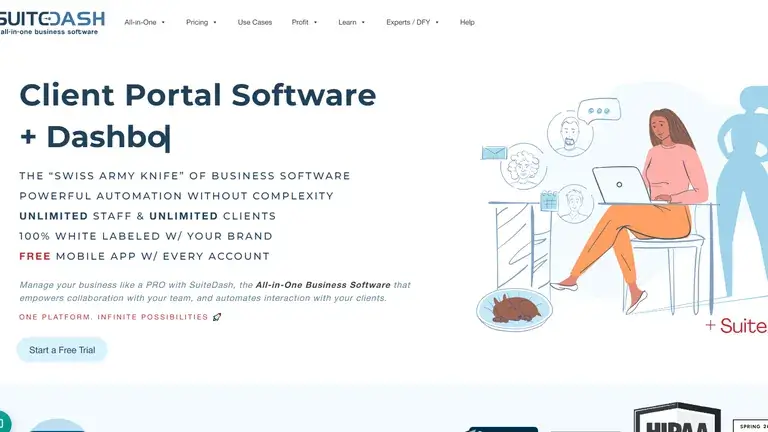
SuiteDash is the most complete “replace several tools” option in this guide. It combines client portals with CRM, project management, invoicing, file sharing, proposals, appointment booking, email marketing, automations, support tickets, LMS features on higher tiers, and white-label controls. That breadth is useful for small businesses and agencies that would rather build one operating system than connect five separate products.
Why it works
The biggest advantage is the flat monthly structure: the public pricing page lists unlimited staff, CRM contacts, and portals across plans, with the Start plan at $19/month. For businesses with many client contacts, that can be easier to forecast than per-seat pricing.
Where to be careful
The platform is broad. That is valuable if you need the modules, but it can be more setup than a team that only wants a simple file-sharing portal. Confirm which higher-tier tools you need before choosing a plan.
Why it stands out
- Strong match for agencies, consultants, and small businesses wanting CRM, billing, projects, and portals together.
- Public monthly pricing starts at $19/month rather than an annual-equivalent price.
- White labeling and branded client portal functionality are central to the product positioning.
Key details
- Best for: All-in-one client portal and business operations
- Starting price: $19/month
- Trial / guarantee: 14-day free trial; no credit card required
Best for secure white-label collaboration
Clinked Review
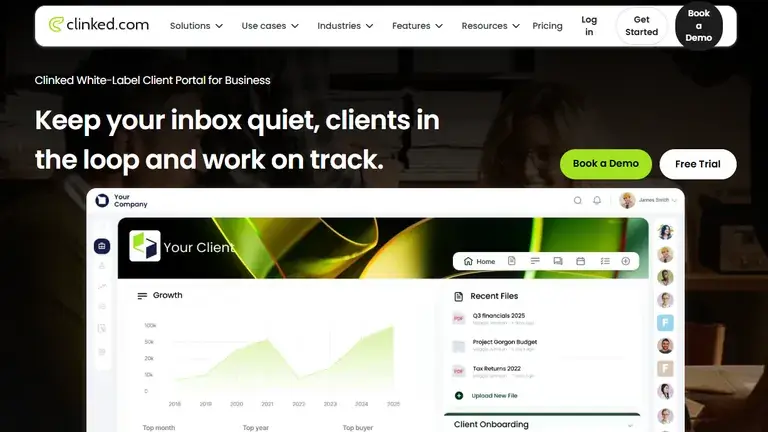
Clinked is built around secure, branded collaboration spaces rather than a general small-business operating system. It is a strong fit for accounting firms, financial services, legal-adjacent teams, consultants, boards, and professional services organizations that need clients and external stakeholders to share documents, discuss work, track tasks, and operate inside a branded environment.
Why it works
Clinked’s Standard plan lists your own domain, audit trail, full-text search, tasks, shared calendar, discussions, real-time chat, 100 included members, and 1 TB storage. Its security positioning is also stronger than many lightweight portals, with public ISO 27001 messaging and compliance documentation.
Where to be careful
Clinked starts at a higher monthly price than lightweight options. It is easiest to justify when secure document collaboration, branding, permissions, and client-facing professionalism matter more than the lowest possible price.
Why it stands out
- Strong fit for secure file sharing, document collaboration, and branded client spaces.
- Includes work management features such as tasks, calendar, discussions, chat, search, and audit trail.
- Public pages emphasize ISO 27001 and bank-grade security positioning.
Key details
- Best for: Secure white-label client collaboration
- Starting price: $239/month
- Trial / guarantee: 10-day trial; charges are non-refundable unless otherwise noted
Best for process orchestration
Moxo Review
Moxo is best understood as a business process orchestration platform with client portal capabilities, not just a portal login. It is a better fit for teams that need structured workflows: file requests, forms, approvals, acknowledgements, questionnaires, to-dos, milestones, branching logic, AI assistance, and repeatable client or vendor processes.

Why it works
The public pricing page lists a Free plan, a Business plan at $99/month, and a Pro plan at $499/month. The Business plan includes 10 flows and 2,000 AI credits, while Pro adds more flows, more AI credits, advanced portals, custom domain, webhooks, SAML SSO, and other advanced controls.
Where to be careful
Moxo may be more platform than a freelancer or small agency needs if the real requirement is only a branded file hub. It is strongest when the client portal is part of a process that needs routing, decisions, auditability, and automation.
Why it stands out
- Best fit for client onboarding, KYC-style workflows, approvals, vendor workflows, and process-heavy service delivery.
- Combines client portals with forms, file requests, approvals, e-signatures, AI agents, and workflow tooling.
- Offers a public Free plan and clear monthly Business and Pro prices at the time of review.
Key details
- Best for: Workflow-heavy client processes
- Starting price: $99/month
- Trial / guarantee: Free plan available; paid service fees are generally non-refundable once a term starts
Best polished client experience
Assembly Review: formerly Copilot
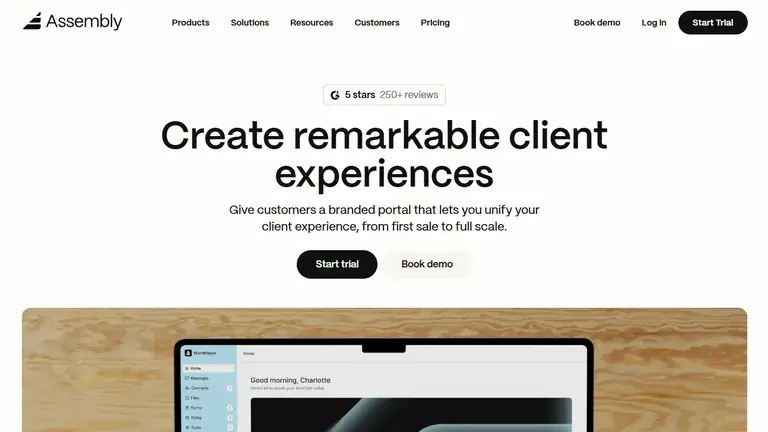
Assembly, formerly Copilot, is one of the cleanest options for professional services firms that want the client portal itself to feel modern and premium. It brings together client records, messaging, invoices, subscriptions, pay links, proposals, contracts, tasks, file sharing, intake forms, embedded apps, and a growing app ecosystem.
Why it works
The public pricing page lists Starter at $39/month, Professional at $149/month, Advanced at $399/month, and Enterprise from $2,000/month. It also lists a 14-day free trial with no credit card required. The product is especially relevant for firms that sell services repeatedly and want each client to have a clear account home.
Where to be careful
Assembly is portal-first, not a full project management replacement for every workflow. If your business needs deep project planning, time tracking, or complex operations inside the same system, compare carefully against all-in-one platforms before migrating.
Why it stands out
- Excellent fit for professional services, accounting, consulting, agencies, real estate, startups, law firms, and freelancers.
- Combines client portal, CRM, messaging, billing, contracts, forms, tasks, and files in a polished interface.
- Useful SEO-relevant note: Copilot rebranded to Assembly, so some buyers still search for both names.
Key details
- Best for: Polished branded portals for professional services
- Starting price: $39/month
- Trial / guarantee: 14-day free trial; no credit card required; no refunds stated in terms
Best AI workspace plus portals
Fusebase Review
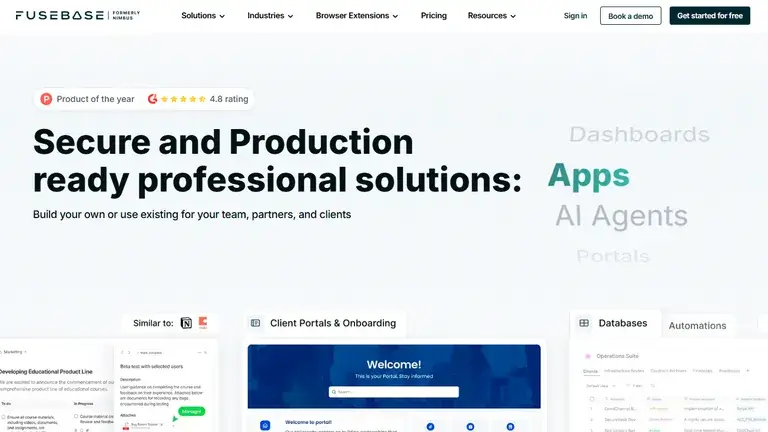
Fusebase is a strong option for teams that want client portals to sit beside internal knowledge, workspaces, AI agents, automation, and collaboration tools. It is especially relevant when a portal is not just a place to upload files, but part of a broader knowledge-sharing and project collaboration system.
Why it works
The public pricing page lists plans such as Solo, Essentials, Advanced, and Unlimited, with plan limits around portals, clients, automation runs, AI requests, storage, permissions, and white label. The page also lists a 14-day trial period for several plans.
Where to be careful
During this review, the official pricing page did not expose reliable dollar amounts in the accessible page text. Because the rule for this guide is to avoid annual-equivalent or uncertain prices, we marked Fusebase as “Check current pricing.”
Why it stands out
- Strong fit for teams that need portals, internal workspace, knowledge management, AI assistance, and automation together.
- Public plan structure includes portals, clients, workspaces, automation runs, AI requests, transcriptions, permissions, and white label on higher tiers.
- Official refund policy states that payments are non-refundable and users can continue through the end of the billing period after cancellation.
Key details
- Best for: AI-assisted workspaces and client collaboration
- Starting price: Check current pricing
- Trial / guarantee: 14-day trial listed; payments are non-refundable
Best for service-firm operations
Hubflo Review
Hubflo positions itself as a client engagement suite for service businesses. It brings together client portals and management features such as files, tasks, chat, forms, contracts, billing, CRM, email and calendar connections, Stripe, Zapier, and other integrations. It is a natural fit for consultants, accountants, small firms, and professional service businesses that want the client portal tied to daily operations.

Why it works
The official pricing page clearly shows plan structure, included internal team members, client limits, storage, forms, Smartdoc completions, add-ons, and a monthly billing option. Hubflo’s help center also states that monthly subscriptions are available with no commitment and can be cancelled anytime.
Where to be careful
The official page text available during review exposed annual prices clearly, but not a safely verifiable month-to-month price. Because of that, this guide uses “Check current pricing” rather than quoting an uncertain monthly number.
Why it stands out
- Good fit for consultants, accountants, and small service firms that want portals plus CRM, forms, billing, contracts, and client communication.
- Public plan structure includes client limits, storage, internal users, forms, Smartdoc completions, and add-ons such as mobile client portal apps.
- Help center confirms monthly subscription and cancel-anytime options, though current monthly prices should be confirmed at checkout.
Key details
- Best for: Service-firm client engagement
- Starting price: Check current pricing
- Trial / guarantee: Monthly subscription option and cancel-anytime wording found; confirm refund terms
Best lightweight creative portal
SuperOkay Review
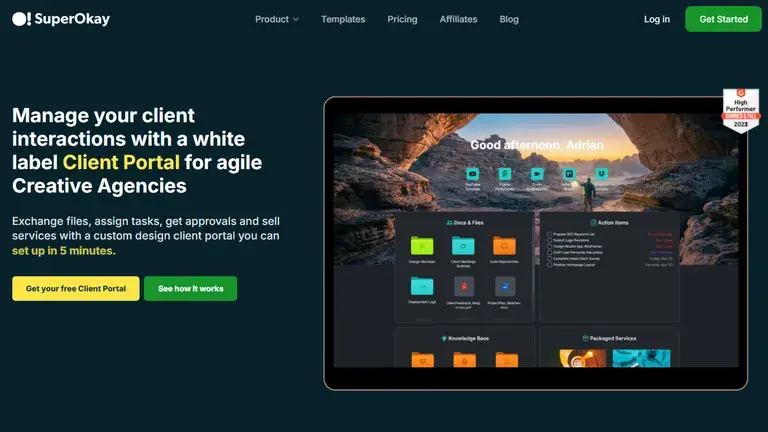
SuperOkay is a lightweight, client-friendly option for freelancers, creative agencies, designers, marketers, coaches, and teams that want a polished portal without rebuilding their whole business stack. It is especially useful for sharing project links, files, tasks, documents, packaged services, embedded apps, proposals, briefs, and client-facing project spaces.
Why it works
SuperOkay has a free plan and a clear monthly pricing page. At the time of review, the month-to-month section listed Solo at $12/month, Solo+ at $38/month, and Business at $146/month. The Free plan can be useful for testing the client experience before upgrading.
Where to be careful
SuperOkay is not the deepest all-in-one CRM, billing, or workflow automation platform in this guide. It is best when the main need is a good-looking client portal layer for collaboration, documents, links, tasks, and embedded tools.
Why it stands out
- Good lightweight option for freelancers and creative agencies that want clients to see work, tasks, links, and documents in one place.
- Free plan and no-credit-card onboarding reduce friction for trying the product.
- Higher tiers add stronger branding controls such as custom domain and white label.
Key details
- Best for: Creative portals, project links, tasks, and documents
- Starting price: $12/month
- Trial / guarantee: Free plan available; no credit card required
Research Team
Our Team of Researchers
Reviews Ally guides are reviewed by our editorial and product research workflow before publication. We focus on clear comparison criteria, current public information, pricing transparency, and practical buying decisions.


Reviews Ally Editorial Team
Our editorial team organizes each guide around reader intent, comparison clarity, disclosure, and plain-language explanations.


Product Research Review
Our product research process checks provider websites, pricing pages, refund policies, feature documentation, reputation signals, and relevant public sources.
We may earn a commission from some links, but our editorial structure is designed to separate buyer usefulness from affiliate value. Learn more in our Editorial Policy and How We Rank pages.
Research process
Our Methodology
We reviewed client portal software from the perspective of a business that needs clients to actually use the portal. A feature list is only useful if it helps reduce email back-and-forth, speeds up onboarding, makes document exchange safer, and gives clients a clear place to understand what happens next.
We prioritized official documentation first
Pricing pages, product pages, help centers, security pages, and legal terms were the main sources. Third-party review sites and comparison articles can be useful signals, but we did not rely on them for core pricing claims when an official source was missing or unclear.
We separated monthly prices from annual-equivalent prices
Many SaaS pages show annual discounts as a monthly number. For this guide, a listed price appears in the comparison table only when it was clearly a month-to-month price or a public monthly plan price. If the source only showed annual billing or if the monthly toggle was not readable with confidence, we used “Check current pricing.”
We matched providers to realistic buyer needs
A small agency that needs invoices and proposals has a different need than a firm handling regulated file requests or a designer who mainly needs one beautiful client workspace. That is why this guide includes both a comparison table and a use-case section rather than forcing every platform into a single generic ranking.
Buying guide
More Detailed Information About Client Portal Software
Client portal software sits between your internal team and your client’s day-to-day experience. Done well, it makes your service feel organized and premium. Done poorly, it becomes another login that clients ignore. The best choice depends on what you want clients to do inside the portal.
Client portal software for agencies
Agencies usually need a mix of onboarding forms, proposals, approvals, client-facing tasks, file sharing, project updates, links to creative assets, and sometimes invoices. SuiteDash is the broadest all-in-one pick for agencies that want to consolidate operations. Assembly is a better fit when client experience, billing, contracts, and account records are the center of the workflow. SuperOkay works well for creative agencies that want a polished project hub without moving every internal process into the portal.
Client portal software for accountants
Accountants and bookkeepers should pay special attention to secure document exchange, permissions, audit trails, client identity, e-signature support, and repeatable onboarding. Clinked is a strong fit for branded document collaboration and secure workspaces. Assembly is relevant for firms that want a modern client account area with files, payments, messages, contracts, and forms. Hubflo also targets accountants and service firms with portals, file sharing, forms, contracts, billing, and CRM-style tools.
Client portal software for consultants
Consultants often need less heavy project management and more clarity: onboarding, expectations, documents, meeting follow-up, deliverables, approvals, and payment status. Hubflo and Assembly are strong choices because they combine client-facing communication with business management features. SuiteDash is worth considering if the consultant also wants CRM, automations, invoices, proposals, and broader operational modules in one platform.
White-label client portals
White labeling can mean several things: logo and colors, custom domain, branded email notifications, hidden vendor branding, white-label mobile apps, or even reseller-style arrangements. SuiteDash emphasizes white-labeling heavily. Clinked is built around branded client spaces and own-domain portals. Assembly supports a secure white-labeled portal and adds custom domain and email domain functionality on higher tiers. Always confirm which branding controls are included in the plan you intend to buy.
Secure file sharing and document portals
If file sharing is the main job, do not choose only by storage size. Check permissions, search, audit trails, activity logs, encryption, compliance documentation, file request flows, and whether clients can upload documents without confusion. Clinked is one of the strongest document-collaboration options in this guide. Moxo is useful when document exchange is part of a structured process with forms, approvals, acknowledgements, or decisions. Fusebase can fit teams that want documents, knowledge, workspaces, and AI-powered collaboration in one environment.
Client onboarding workflows
Good onboarding does more than collect a form. It can assign tasks, request files, trigger reminders, route approvals, send agreements for signature, create a project space, and give the client a visible checklist. Moxo is the strongest workflow-first option here. Hubflo and Assembly are strong service-firm picks because onboarding can connect to client records, files, tasks, forms, contracts, and communication. SuiteDash can support onboarding as part of a larger business automation setup.
E-signatures, approvals, billing, and payments
If your portal needs to move deals forward, look closely at contracts, e-signatures, approvals, invoices, subscriptions, payment links, and recurring billing. Assembly and SuiteDash are the clearest fits when client portal and billing tools need to live together. Moxo is relevant when approvals and e-signatures are steps in a broader operational flow. Hubflo is also relevant for service firms that need contracts, billing, proposals, CRM, and client workspaces together.
Client portal vs CRM vs project management software
A client portal is the client-facing layer. A CRM is the internal record of relationships, deals, notes, and customer data. Project management software organizes internal work, tasks, owners, dependencies, and deadlines. Some platforms in this guide combine all three, but the emphasis differs. SuiteDash leans all-in-one. Assembly blends portal, CRM, billing, and service workflows. Moxo leans process orchestration. Clinked leans secure collaboration. SuperOkay leans lightweight client-facing collaboration.
Client portal vs customer portal
“Client portal” usually fits professional services, agencies, consultants, accountants, legal-adjacent firms, and B2B service delivery. “Customer portal” is broader and may include support tickets, SaaS account management, order tracking, help centers, and account self-service. The overlap is real, but for service firms, client portal software should make ongoing collaboration easier, not just give customers a place to submit a ticket.
Definitions
Client Portal Software Glossary
- Client portal
- A secure online area where clients can log in to exchange files, send messages, complete tasks, sign documents, approve work, or view project and billing information.
- White-label portal
- A portal that can be branded with your company’s identity, often including logo, colors, custom domain, custom email domain, and reduced vendor branding.
- Custom domain
- A branded URL such as portal.yourcompany.com that points clients to your portal instead of a vendor-branded login page.
- File request
- A structured way to ask a client for specific documents or uploads, often with reminders, due dates, permissions, and a record of what was submitted.
- Audit trail
- A record of activity inside the system, such as file uploads, logins, changes, approvals, messages, or document actions.
- Client onboarding
- The process of collecting information, setting expectations, assigning tasks, sending agreements, requesting files, and getting a new client ready for service delivery.
- E-signature
- A digital way for clients or team members to sign contracts, forms, approvals, or other documents without printing and scanning.
- Workflow automation
- Rules or flows that automatically trigger actions such as assigning forms, sending reminders, routing approvals, updating records, or starting new tasks.
Common questions
Client Portal Software FAQ
What is the best client portal software overall?
There is no single best choice for every business. SuiteDash is the best all-in-one value pick in this guide, Clinked is strong for secure white-label collaboration, Moxo is best for workflow-heavy processes, Assembly is best for polished professional service portals, Fusebase is strong for AI-assisted workspaces, Hubflo is a good fit for service-firm operations, and SuperOkay is the best lightweight creative portal.
What is the best client portal software for agencies?
SuiteDash, Assembly, and SuperOkay are the strongest starting points for agencies. SuiteDash is better if you want one platform for CRM, projects, proposals, invoices, automation, and portals. Assembly is better for a polished portal with CRM and billing. SuperOkay is better for lightweight client-facing project hubs, documents, links, and tasks.
What is the best client portal software for accountants?
Clinked, Assembly, and Hubflo are good starting points for accounting and bookkeeping firms. Clinked is strong for secure document collaboration and branded workspaces. Assembly is strong for a polished client account experience with files, contracts, billing, and messages. Hubflo targets accountants and service firms with portals, files, forms, CRM, and billing tools.
Should I choose a client portal or a CRM?
Choose a client portal when the main need is a client-facing workspace. Choose a CRM when the main need is internal relationship tracking, pipeline management, notes, and customer data. Many service firms need both, which is why tools such as SuiteDash, Assembly, and Hubflo combine portal and CRM-style features.
Do client portals replace project management software?
Sometimes, but not always. A client portal can show tasks, files, messages, approvals, and milestones to clients. Full project management software usually goes deeper into dependencies, internal task planning, capacity, time tracking, and reporting. If your internal team already uses a project management tool, you may only need the portal to give clients a clean front-end.
How much does client portal software cost?
Public monthly prices in this review range from free plans and low-cost freelancer plans to hundreds of dollars per month for more advanced portals. Pricing varies by users, clients, portals, storage, custom domain, white label, automation, AI credits, onboarding support, and enterprise compliance requirements. Always check the current pricing page before buying.
Source notes
Sources Reviewed
We reviewed official product, pricing, legal, security, help center, and affiliate or partner pages where available. Source links are provided for transparency and should be rechecked before publishing major updates.
- SuiteDash pricing; SuiteDash security overview; SuiteDash HIPAA compliance; SuiteDash promoter program
- Clinked pricing; Clinked terms of service; Clinked ISO 27001 page; Clinked partner page
- Moxo pricing; Moxo client portal; Moxo terms and conditions; Moxo partner program
- Assembly Copilot rebrand page; Assembly pricing; Assembly client portal; Assembly terms of service; Assembly affiliate program
- Fusebase pricing; Fusebase client portal; Fusebase refund policy
- Hubflo product page; Hubflo pricing; Hubflo pricing and subscription help; Hubflo affiliate program
- SuperOkay pricing; SuperOkay product page; SuperOkay affiliate page